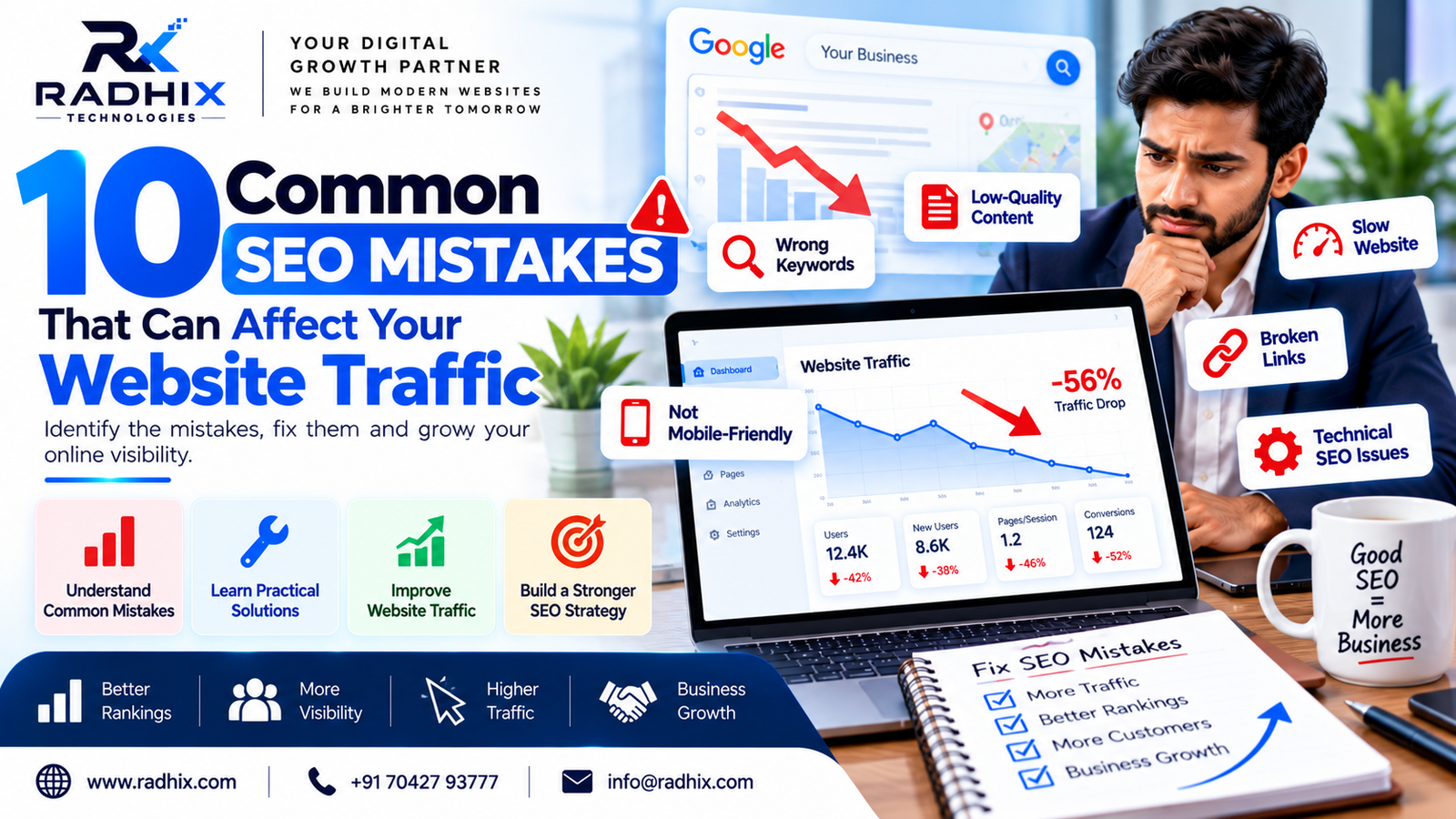
10 Common SEO Mistakes That Can Affect Your Website Traffic
Introduction
Search Engine Optimisation (SEO) plays an important role in helping businesses improve their online visibility and attract potential customers. A well-optimised website can help search engines understand your content and connect it with people searching for relevant products or services.
However, even a professionally designed website may struggle to attract organic traffic if it contains SEO mistakes. Issues such as targeting the wrong keywords, slow page loading, poor content quality, indexing problems, and weak internal linking can limit your website's performance in search results.
In this guide, we will explore 10 common SEO mistakes that can affect your website traffic and explain how to fix them to build a stronger SEO strategy.
1. Targeting the Wrong Keywords
Keyword research is the foundation of an effective SEO strategy. If you target keywords that are unrelated to your services or do not match your audience's search intent, your website may attract visitors who are unlikely to become customers.
For example, a company offering professional website development services should target relevant phrases such as “website development company in Faridabad” or “custom website development services” rather than focusing only on broad, highly competitive terms.
How to Fix This Mistake
- Research keywords relevant to your products and services.
- Understand whether users want information, comparisons, or a service provider.
- Consider long-tail keywords that describe specific customer needs.
- Review search results to understand what type of content users expect.
- Map primary keywords to the most relevant website pages.
- Avoid targeting the same primary keyword with multiple competing pages unnecessarily.
The goal is not simply to attract more visitors. It is to attract people who are genuinely interested in what your business offers.
2. Publishing Low-Quality or Thin Content
Content helps search engines understand your website and helps users find answers to their questions. However, publishing short, repetitive, or unhelpful articles solely to target keywords may not deliver meaningful SEO results.
Pages that offer little original value may struggle to satisfy user needs and compete with more useful resources.
How to Improve Your Content
- Answer the reader's main question clearly.
- Provide practical examples and actionable advice.
- Organise information using descriptive headings.
- Remove unnecessary repetition and generic statements.
- Include relevant facts, original insights, and useful explanations.
- Update outdated information when necessary.
- Make sure each page serves a clear purpose.
For example, a blog about website development costs should explain the factors that affect pricing, such as features, design complexity, integrations, maintenance, and project scope.
High-quality content should help users make informed decisions rather than merely fill a page with keywords.
3. Ignoring On-Page SEO
On-page SEO helps search engines and users understand the purpose of each webpage. Missing or poorly written title tags, unclear headings, weak page descriptions, and irrelevant internal links can reduce the clarity and usefulness of your pages.
Common On-Page SEO Problems
- Missing or duplicated title tags
- Unclear heading structure
- Poorly written meta descriptions
- Missing descriptive image alt text
- Unclear URL structures
- Weak internal linking
- Keywords used unnaturally throughout the content
How to Fix These Problems
Write a unique, descriptive title for each important page. Use headings that logically organise the content, and make sure the main topic is clear near the beginning.
Create helpful meta descriptions that accurately summarise the page. Although meta descriptions are not a direct Google ranking factor, they can influence how your result is presented and whether searchers choose to visit.
Add descriptive alt text to meaningful images, use readable URLs, and link to relevant pages where the links help users explore related information.
4. Having a Slow or Poorly Performing Website
Website performance affects the user experience. If pages load slowly, buttons respond poorly, or layouts shift unexpectedly, visitors may become frustrated and leave.
Page experience alone does not guarantee higher or lower rankings, but performance problems can affect usability and make it harder for visitors to complete important actions.
Ways to Improve Website Performance
- Compress large images and use modern image formats where suitable.
- Remove unnecessary scripts and plugins.
- Reduce unused CSS and JavaScript.
- Use browser caching and suitable server-side caching.
- Improve server response times.
- Lazy-load appropriate below-the-fold images.
- Test performance on mobile and desktop devices.
- Monitor Core Web Vitals using available Google tools.
Pay particular attention to loading performance, responsiveness, and visual stability. Test real pages rather than relying only on the homepage.
A faster, more stable website can provide a better experience for visitors and support your broader SEO efforts.
5. Neglecting Mobile-Friendliness
Many users browse websites through smartphones. If your website is difficult to navigate on a small screen, visitors may struggle to read information, complete forms, or contact your business.
Google primarily uses the mobile version of a website's content for indexing, so important information should be accessible on mobile devices.
How to Make Your Website Mobile-Friendly
- Use a responsive website design.
- Ensure text is readable without unnecessary zooming.
- Keep buttons and links easy to tap.
- Avoid intrusive pop-ups that block important content.
- Make enquiry forms simple to complete.
- Ensure mobile users can access the same important content as desktop users.
- Check menus, images, tables, and forms on different screen sizes.
A mobile-friendly website supports both discoverability and conversions by making it easier for users to find information and take action.
6. Ignoring Technical SEO and Indexing Issues
Technical SEO helps search engines discover, crawl, and index the important pages on your website. If important pages cannot be accessed or indexed correctly, they may not appear in search results as expected.
Some common technical problems include accidental noindex directives, incorrect canonical tags, broken internal links, redirect chains, duplicate URLs, and blocked resources.
How to Identify and Fix Technical SEO Issues
- Check your website in Google Search Console.
- Submit an accurate XML sitemap.
- Review indexing reports for important pages.
- Check robots.txt rules carefully.
- Make sure pages intended for search visibility are not accidentally marked noindex.
- Use canonical tags consistently on duplicate or similar URLs where appropriate.
- Fix broken internal links and unnecessary redirect chains.
- Resolve server errors and incorrect redirects.
Not every page needs to be indexed. Focus on ensuring that valuable, unique pages intended for search traffic are accessible and indexable.
Technical SEO audits should prioritise problems that affect important pages instead of treating every warning as equally serious.
7. Using Duplicate or Poorly Managed URLs
Duplicate content can occur when substantially similar content is accessible through multiple URLs. Common causes include URL parameters, inconsistent trailing slashes, multiple versions of the same page, and copied content across several pages.
Duplicate content does not automatically result in a penalty. However, poorly managed URLs can make it harder for search engines to determine which version should be treated as the primary page.
How to Manage Duplicate Content
- Use a consistent URL structure.
- Set appropriate canonical URLs.
- Redirect outdated or redundant URLs when a redirect is justified.
- Avoid publishing multiple pages with almost identical content without a clear purpose.
- Use unique content for important service and location pages.
- Check your CMS for duplicate slugs and automatically generated URLs.
- Review internal links to ensure they point to the preferred URL.
For example, if a blog has the slug seo-mistakes and you later try to publish another blog using the same slug, your content management system may report a duplicate slug error.
Choose a distinct, descriptive slug for every article and check the final URL before publishing.
8. Ignoring Internal Linking
Internal links connect pages within your website. They help visitors discover related content and help search engines understand how different pages relate to one another.
A website with important pages that are difficult to reach through internal links may make navigation and content discovery harder.
How to Improve Internal Linking
- Link related blog posts to relevant service pages.
- Connect supporting articles to broader guides.
- Use descriptive anchor text that explains the destination.
- Link important pages from relevant sections of your website.
- Fix broken internal links.
- Avoid adding excessive links that do not help the reader.
- Ensure important pages are accessible through logical navigation.
For example, a blog about local SEO can link to a relevant digital marketing service page or a related guide about Google Business Profile optimisation.
Internal links should help readers continue their journey naturally rather than force them toward unrelated pages.
9. Neglecting Local SEO
Local SEO is especially important for businesses that serve customers in specific cities, neighbourhoods, or service areas. If your website and business listings lack accurate local information, nearby customers may find it harder to discover your services.
Common Local SEO Mistakes
- Incomplete or outdated Google Business Profile information
- Incorrect business hours or phone numbers
- Missing location-specific service information
- Inconsistent business details across relevant platforms
- Poorly maintained local landing pages
- Ignoring genuine customer reviews
- Targeting locations that the business does not actually serve
How to Improve Local SEO
- Maintain an accurate and eligible Google Business Profile.
- Select relevant business categories.
- Keep contact details and operating hours updated.
- Create useful location-specific pages when they provide genuine value.
- Encourage honest customer reviews and respond professionally.
- Include relevant local information naturally on your website.
- Ensure your business name, address, and phone number are consistent where published.
Local SEO can help eligible businesses improve their presence in relevant local searches, but results depend on factors such as relevance, distance, prominence, competition, and business eligibility.
10. Failing to Track SEO Performance
SEO requires ongoing evaluation. If you do not monitor your website's performance, it can be difficult to identify traffic declines, technical problems, successful content, or new opportunities.
Publishing more content without reviewing the results may lead to wasted time and resources.
Important SEO Metrics to Monitor
Organic clicks: The number of clicks your website receives from unpaid search results.
Search impressions: How often your pages appear in search results.
Click-through rate (CTR): The proportion of impressions that result in clicks.
Average search position: A reported average of your site's position for relevant search results, interpreted in context.
Organic conversions: Enquiries, calls, registrations, or other valuable actions attributed to organic search where tracking is available.
Indexed pages: The pages Google has indexed, reviewed alongside the pages you actually want indexed.
Useful Tools for SEO Monitoring
- Google Search Console for search performance and indexing information.
- Google Analytics 4 for website engagement and conversion analysis.
- PageSpeed Insights for performance diagnostics.
- A suitable crawling tool for technical website audits.
Review trends over time and compare similar periods where possible. Search traffic may change because of seasonality, competition, algorithm updates, demand, or technical issues, so investigate before making major changes.
Bonus: A Simple SEO Audit Checklist
Use this checklist to review your website regularly.
- Research relevant keywords and search intent.
- Review title tags and meta descriptions on important pages.
- Improve content quality and remove unnecessary repetition.
- Test mobile usability and page performance.
- Check indexing and crawlability in Google Search Console.
- Review canonical tags, redirects, and duplicate URLs.
- Fix broken internal links.
- Improve internal linking between relevant pages.
- Check Google Business Profile and local business information.
- Monitor organic clicks, impressions, and conversions.
- Update outdated content when it is useful to do so.
- Confirm that important pages have clear calls to action.
You do not need to fix everything at once. Start with issues that prevent important pages from being accessed, understood, or used effectively.
How Radhix Technologies Can Help Improve Your SEO
Radhix Technologies helps businesses strengthen their online presence through website development and digital solutions. A structured SEO strategy can combine technical improvements, useful content, relevant keywords, and a better website experience.
Depending on your business requirements, SEO support may include:
- Technical SEO audits
- Keyword research and on-page optimisation
- Website speed and mobile usability improvements
- SEO-friendly website development
- Blog writing and content optimisation
- Local SEO and Google Business Profile optimisation
- Internal linking and website structure improvements
- Search performance and conversion tracking
Every website has different requirements. The right priorities depend on your current website condition, industry competition, target audience, and business goals.
Want to improve your website's search visibility? Visit Radhix Technologies to explore digital solutions for your business.
Frequently Asked Questions (FAQs)
1. What are the most common SEO mistakes?
Common SEO mistakes include targeting irrelevant keywords, publishing unhelpful content, ignoring on-page optimisation, having technical indexing problems, neglecting mobile usability, and failing to track performance.
2. Can SEO mistakes reduce website traffic?
Yes. Some SEO issues can reduce organic visibility or make pages less useful to visitors. However, traffic changes may also result from competition, seasonality, search demand, or changes in search results. Investigate the cause before deciding which fixes are necessary.
3. How can I check whether my website has SEO problems?
Start with Google Search Console to review search performance and indexing information. Use PageSpeed Insights to examine performance and an appropriate crawling tool to identify issues such as broken links, duplicate titles, and redirect problems.
4. How long does it take to recover from SEO issues?
There is no fixed recovery timeline. It depends on the issue, the size of the website, how quickly changes are implemented, and when search engines recrawl and reassess affected pages. Some technical problems may be resolved quickly, while traffic recovery can take longer.
5. Is website speed important for SEO?
Website speed and page experience matter for usability, and Core Web Vitals are part of Google's page experience considerations. However, speed alone does not guarantee rankings. Relevant content, search intent, technical accessibility, and other factors also matter.
6. Should every webpage be indexed by Google?
No. Important pages that provide value and are intended to appear in search results should generally be indexable. Pages such as internal search results, certain utility pages, or duplicate versions may not need to be indexed.
Conclusion
SEO mistakes can make it harder for search engines to understand your website and for potential customers to find useful information. From poor keyword targeting and weak content to indexing problems and missing performance tracking, each issue deserves attention based on its actual impact.
Start by auditing your most important pages, fixing critical technical problems, improving content quality, and making your website easier to use on mobile devices. Then measure the results and continue improving your strategy.
With consistent optimisation and a focus on user needs, your business can build a stronger foundation for sustainable organic visibility and relevant website traffic.